|
Steve Wood's View from the Classroom Going WinTel...for a Month: Week 2 April 3, 2000 |
|
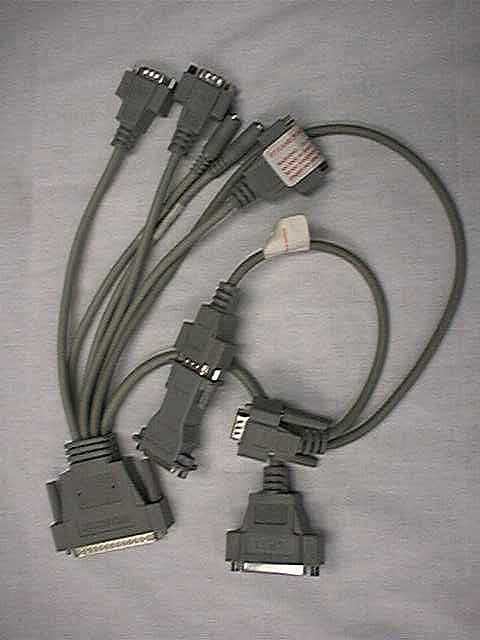
As I mentioned last week, as part of my job I end up having to do most of my computing on Windows compatible computers for about one month a year. It only helps a little that the computers I'm using are Macintoshes with OrangeMicro PC cards in them. Both of our current Orange cards are equipped with 200 MHz chips. The Orange 624 card came with a 200 MHz WinChip which seems to do pretty well. The older Orange card, a 530, came with a Cyrix chip which I removed in favor of an AMD K-6. Both cards seem to function considerably better with the chip fan upgraded to a ball bearing 12-volt fan, rather than the 6-volt stock models. I've often wondered if a Mac might benefit from a CPU cooling fan, but have never tried it. Our school's "Evil NT techie" and I often laugh and say that someday computers will come with a radiator! Actually, some supercomputers have cooling systems. Keeping the chip cooler can improve performance. On a Windows machine, a CPU fan failure almost always precedes a fried CPU! I use a Power Mac 7500 with a MAXPowr G3/250 Mhz upgrade card. I'm currently running 192 MB of RAM and have a 4.5 gig 7200 RPM drive as the main drive. A slower 4500 RPM 2.1 gig drive houses all of the OrangeMicro stuff, including the "C" drive. This machine uses my Orange 530 card because that card has the octopus cabling out the back that enables a true parallel port connection to the printer. The 624 card, which is actually the school's card, is at home in my G3 minitower. The 624 prints through the Mac serial port--but not with every printer! I'm currently using a Sony 200ES 17" monitor. It's probably as good a monitor as I've ever used.
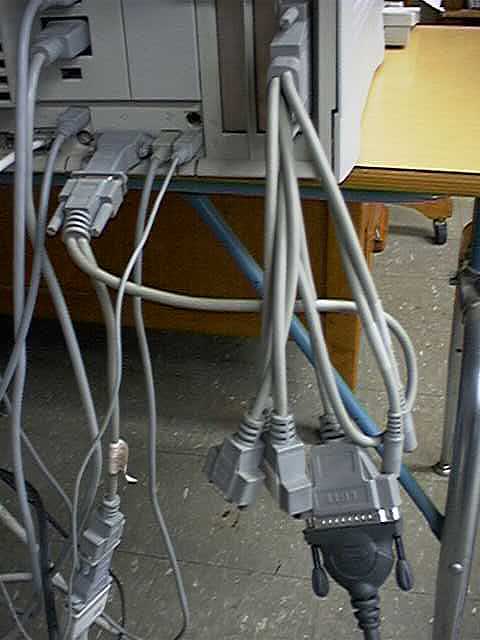
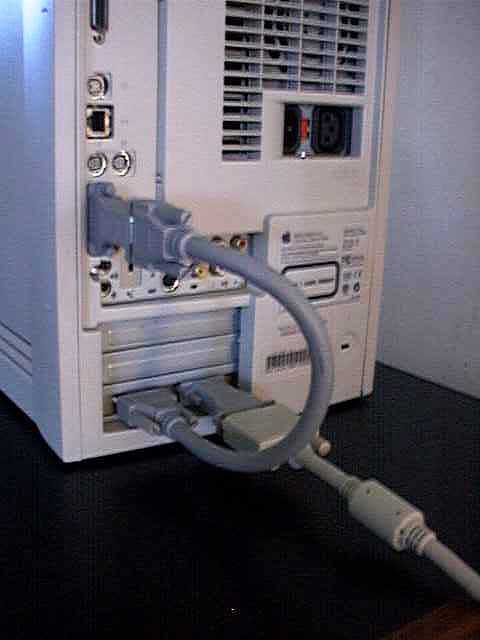
A quick look at the cabling probably tells why OrangeMicro changed to the loopback cable. The old octopus cable puts an awful lot of strain on the monitor port and especially on the 530 card. Still, I prefer the versatility of the older cable. It's also a lot easier to configure a parallel port printer with the old cable than with the new one. Of course, my Epson 850 printer died two weeks before all of this stuff started. A quick call brought an $85 Epson 740 as a replacement, but it's quite a bit slower than its big brother. When I installed the 740, Windows asked if I'd added new hardware on startup. I was delighted that plug-n-play was going to work. Little did I know then... Since Windows was going to configure my printer for me, I merrily inserted the Epson driver CD when so requested, but Windows (and I) couldn't find the required "Setup.exe" file. It turned out that Epson named the file "Epson.exe." After going around the block on that one, I thought I had it made when Windows told me to reboot before using the printer. I rebooted and was informed that the Epson installer had replaced a number of system files with older versions that would not work with my current setup. After clicking away a zillion warning dialogs, I persevered and tried using my IEP program. Everything seemed to work fine until I tried to save to a floppy disk. Whammo! I now knew at least one of the items the installer had knocked out. On restart, Windows wanted to drop into safe mode, but settled for just running ScanDisk and sorting out a bunch of mangled file chains. After clicking away another zillion warning dialogs, I complied with Windows recommendation that I use my Windows setup disk. On an OrangeMicro setup, the Windows setup floppy is actually a disk image that is part of the OrangeMicro file on the hard drive. That was fortunate as I wasn't sure where my Windows95 CD was. A quick install of the 4 Orange setup disks resulted in restored floppy drive capability. In the end, the Mac with the Windows chip inside was ready to go (to conference) on time. Odd thoughts while shaving between paragraphs: I ended last week's column thusly:
Thanks to all my other web friends who wrote and offered to help out:-)!
Send Feedback to
|

©2000 Steven L. Wood