|
Carts with Software
Apple Education added a number of new offerings to its
mobile computing line last November. While the standard
iBook
Wireless Mobile Lab and the Mobile
Digital Media Studio continue to be offered, Apple
Education introduced five new Curriculum
Mobile Labs:
(Photos courtesy Apple Computer,
Inc.)
The big change with the curriculum lab kits is that they
include what appears to be some very good OS X native
subject software to go with the Apple computer hardware of
the old iBook Wireless Lab. You can even configure your own
lab with different combinations of laptops (iBooks and/or
PowerBooks), software, and peripherals (See the Build
Your Own Mobile Lab page.)
 I've
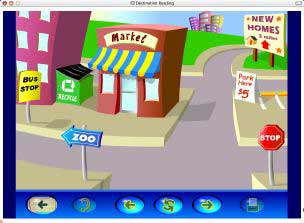
only tested the Destination
Reading software from the Early Language bundle, but if
the other products are as solid as Destination Reading,
they're going to be positive additions to classroom
teachers' array of tools. The inclusion of at least one
really good nuts and bolts academic offering is a pleasant
reprieve from the usual digital video pitch. I really don't
care a whit about teaching my kids how to make a movie
unless it can help them learn their letter-sound
combinations, blend those sounds into words, and read those
words with comprehension so they can escape the cycles of
poverty, ignorance, and low expectations that trap so many
of them. While there are folks doing wonderful instructional
things with digital video, many teachers are sick to death
of Apple trying to foist the digital hub into schools as a
critical educational initiative when what we need is basic
instructional support. It would appear Apple Education got
the message. I've
only tested the Destination
Reading software from the Early Language bundle, but if
the other products are as solid as Destination Reading,
they're going to be positive additions to classroom
teachers' array of tools. The inclusion of at least one
really good nuts and bolts academic offering is a pleasant
reprieve from the usual digital video pitch. I really don't
care a whit about teaching my kids how to make a movie
unless it can help them learn their letter-sound
combinations, blend those sounds into words, and read those
words with comprehension so they can escape the cycles of
poverty, ignorance, and low expectations that trap so many
of them. While there are folks doing wonderful instructional
things with digital video, many teachers are sick to death
of Apple trying to foist the digital hub into schools as a
critical educational initiative when what we need is basic
instructional support. It would appear Apple Education got
the message.
The End of Premium
Pricing?
Not a chance!
Apple will probably always premium price any new hot
product introduction. They just can't seem to help
themselves from fleecing the Mac faithful who always have to
have the "latest and greatest." A big part of Apple
Education's current sales problems go back to the introductory
premium pricing of the current form factor of iBooks in
May, 2001. Apple just had to have that extra profit margin,
but blew a chance to sweep a good portion of the educational
laptop market.
 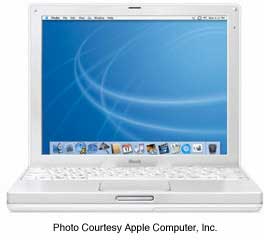 The
good news over the last year or so for educators who prefer
Macs is that Apple finally realized that they had to have
some entry-level machines that at least came close to
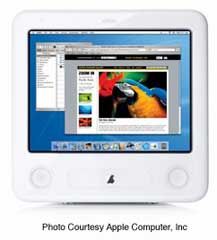
comparable name brand PC offerings. The base eMac ($699) and
iBook ($949) are both equipped to compete in today's
educational market. Both models have experienced some
problems along the way, but the display problems of the eMac
seem to be a thing of the past, while the anticipated
redesign of the iBook will hopefully address the persistent
trackpad and power supply problems experienced by some. The
good news over the last year or so for educators who prefer
Macs is that Apple finally realized that they had to have
some entry-level machines that at least came close to
comparable name brand PC offerings. The base eMac ($699) and
iBook ($949) are both equipped to compete in today's
educational market. Both models have experienced some
problems along the way, but the display problems of the eMac
seem to be a thing of the past, while the anticipated
redesign of the iBook will hopefully address the persistent
trackpad and power supply problems experienced by some.
To me, the eMac is the real bargain in Mac computing
today. I can't walk past one without taking a few minutes to
play with it. They look terrific, don't take up a lot of
desktop space, are quick and responsive, and carry a
reasonable price. If Apple puts the G5 chip in the eMac and
prices it aggressively, they could find themselves back into
the CRT all-in-one market for schools in a very big way.
Apple is going to have to overcome its usual corporate
greed when it releases the anticipated
new iBooks. It has to come in with a truly competitively
priced entry-level iBook to remain viable in the education
market. The current $949 pricetag for a 12" screen laptop is
beginning to become suspect when compared to some other name
brand laptops that have a considerably better feel to them.
I recently set up a 14" Compaq laptop for the granddaughter
of one of our teachers. It was faster than the current
iBooks and had a far superior feel to both the trackpad and
keyboard of the current iBooks. And...it was $150 cheaper.
Ouch!
The current iMac really doesn't seem to be a factor in
education circles. I definitely like the machine. I got
totally lost for half an hour one day playing with one at
the Indianapolis Apple Store. While an excellent machine,
it's base price ($1199) and form factor don't seem to fit
the needs of many schools.
The real killer for Apple and Apple Education is the
array of low-cost retail offerings constantly available from
anywhere and everywhere, including even Wal-Mart .
If a teacher has a low-cost PC at home, they're not too
likely to strongly object to a PC on their desk at work. As
Jeff
Adkins advocated some time ago, "Try to get Macs into
teacher's homes. That will help them want to have the same
thing at work. Deeper personal teacher discounts might mean
more sales." .
If a teacher has a low-cost PC at home, they're not too
likely to strongly object to a PC on their desk at work. As
Jeff
Adkins advocated some time ago, "Try to get Macs into
teacher's homes. That will help them want to have the same
thing at work. Deeper personal teacher discounts might mean
more sales."
Over the years there's been a lot of talk about education
specific Macintosh models. While available to the general
public as well, the eMac and iBook were obviously originally
designed for school use and give Apple a good one-two punch
in the education sector. Can you imagine what a $699 G5 eMac
or a $899 14" iBook would do for Apple's education
sales?
Applications
You've gotta have at least a little grin when it comes to
application offerings from Apple. Final Cut Express, iCal,
iMovie, iPhoto, iTunes, Keynote, Safari, etc. tell you Apple
has been hard at work on quality application software. Many
of the titles are freebies. Others have carried excellent
price incentives for educators at various
times.
It remains a mystery why AppleWorks 6 with all its
updates remains the poor stepchild of Apple software. It's
usable, but in some ways comparable to Microsoft's terrible
Word 6 offering a few years ago. The education-only Windows
version of AppleWorks 6 is worse. Apple needs to apply some
of the same programming magic it's used with its digital hub
software to AppleWorks.
Apple Stores
While Apple Education hasn't positively responded to the
many pleas of Mac education advocates to get back into
schools with samples to look at, touch, feel, and maybe even
lick (if they ever bring back the fruit-flavored color
schemes of the CRT iMac), the ever-expanding number of Apple
Stores increases the odds of one being close to home or at
least in the path of your travels. Our nearest Apple Store
is two hours away in Indianapolis, but I try to stop by
whenever I visit the "big city." I usually try to stop in
just after the store opens so I can play around with their
toys without getting in the way of the paying customers.
Unfortunately, not a lot of teachers are going to go out
of their way to visit their closest Apple Store. An annual
"traveling Apple Store" visit could provide a lot of
exposure for Apple Education that it simply won't get any
other way. This is one of those items that has been
suggested over and over. Apparently, Apple just doesn't see
it as worth the effort. That's a shame, as it could be Apple
Education's final undoing.
I'm not going to hold my breath waiting for the opening
of the Graysville, Indiana (Population 200) Apple Store.
Less Hype?
With phrases like "The world's fastest personal computer"
and "The best Windows app ever," the Apple hype machine
continues to run on overdrive. The big difference now is
that with the new G5 computers, Apple's hype might just be
true. (We'll kindly omit any more reference to "best Windows
app ever" until Apple figures out and fixes what in iTunes
4.1 is wasting people's Windows 2000 Professional
installations.)
Older OS's
It's been suggested here and elsewhere repeatedly that
Apple should release older software for free download as it
did with OS 7.5.3. One of the best advertisements of Apple
products is old Mac hardware still running well. A choice of
operating systems helps Mac users do just that. Apple has
ignored all such requests.
In contrast, the Microsoft
Fresh Start for Donated Computers program allows schools
to install system software on all donated machines up to
Pentium II models. The software allowed includes everything
up to, but not including XP! While the program only covers
"donated computers," it goes a lot further than anything
Apple is offering.
Customer Service
I still regularly receive emails of horror stories of
users dealing with Apple's "Customer Service." Most of the
stories revolve around folks who can't get their Mac fixed
appropriately, long delays in repairs, or Apple seemingly
trying to find ways not to fix things properly under
warranty. This doesn't even begin to address the problems
folks face once their iBook or PowerBook goes out of
warranty. Service prices for Apple parts and service are
still an embarrassment to all Mac users.
We recently had a spate of broken tips on power supplies
on our classroom iBooks. It appears that when the first tip
broke off in an iBook, any other power supply inserted into
the laptop with the broken off tip also broke off. A total
of six power supplies and two iBooks were involved before we
got it stopped.
Our techie first had difficulty even getting Apple to
recognize that we did indeed have Apple Care contracts
covering the units. Then came the veiled threat that Apple
probably would not repair under warranty any more power
supplies or iBooks with similar problems, calling the issue
"vandalism," which isn't covered under the contract.
The issue was quickly resolved with a few emails and a
quick response from our excellent Apple rep. While we both
spoke of it as a "misunderstanding," the whole deal smelled
of Apple trying to get out of fixing a weakness of the iBook
that was intensified by the particular population I teach. I
wonder what the outcome might have been if I'd not been an
occasional web columnist.
Apple must stand behind their products and not hassle
folks in the warranty service process. Beyond the warranty
period, Apple still needs to get their price structure for
repairs into the affordable category. The criticism by the
PC crowd that Macs are too expensive to repair is an
entirely valid criticism. Apple has done nothing to correct
this situation and it stands as a major argument against
using Macs in the classroom or anywhere else.
A Few More Thoughts About Getting to
Mac-Hostile Techies
Over the last few years I've referred to our school's
technology coordinator as "the Evil NT Techie." He's
actually a buddy of mine and sorta likes the name. We've
done our share of OS bashing back and forth over the years,
but a surprising change has happened in the last two years.
When we purchased our twenty-four iBooks, and six
QuickSilver towers for teachers who chose a new Mac, he
decided he needed a Mac to administrate the whole deal. He
found enough in the budget for a then top-of-the-line Dual 1
GHz QuickSilver tower for himself.
Both the techie and I frequently test the "job
availability" situation. During a recent talk, I asked the
hypothetical question, "If you left, what hardware would you
like to take with you?" Without hesitation, the techie
responded, "Of all the computers and servers here, I'd
choose the G4 tower!"
What made the difference in the one person most
instrumental to our school going from a PC junior and senior
high school and an all-Mac elementary to a nearly all PC
system? Clearly, Mac OS X won him over. "The power of
UNIX" ads aren't all hype. The techie is well into Linux, so
playing around under the hood (terminal app) of OS X is no
biggie to him. He appreciates the OS X graphical interface
that also allows going to the root and tweaking things a
bit. He also isn't ready to begin reversing himself and
switch the school back to Macs.
Getting a Mac into his hands for regular use worked the
magic that now has him saying nice things about Macintoshes.
Apple really needs to find a way to get their hardware and
software into the hands of the power brokers in school
technology choice so there actually is some type of choice
allowed. Witness the recent travesty in the St.
Petersburg (FL) schools where a school superintendent
made the decision to abandon Macs without benefit of staff
or community input.
Why isn't our techie ready to go to Macs in a bigger way
than we are now? He still is responsible for service of all
machines in the system. Dealing with Apple and Apple Service
has not been a positive experience for him in the past. Any
time we talk of service, he reminds me of the high price of
Apple Service and of Apple proprietary parts. He doesn't
miss a chance to point out the possible advantages of OS X
running on x86 hardware! A whole lot of his argument would
simply go away if Apple got its service parts priced
comparably to PC parts.
But the big point here is getting a good Mac into the
hands of the potential decision makers for an appreciable
period of time. I don't have an easy answer for Apple on
this one. They certainly can't give every school techie and
school superintendent a new Dual 2 GHz G5 Power Mac with a
23" Apple Cinema HD Display. I still have to believe that
getting back into the schools regularly with the "Apple
horse and pony show" wouldn't hurt. I know that when I'm in
a conference and a "9" or a "10" comes in and sits across
from me, I have to say to myself in the back of my mind,
"Eye contact, Steve, keep EYE contact." The G5 is certainly
the current "9" or "10" of the tech world. Apple has to get
their foot back in the door of school systems so folks can
see that Apple Computer and Apple Education have some really
classy hardware and software that can compete step for step
with any comparable PC offering.
Odd thoughts while shaving between
paragraphs:
Our recent experience with broken iBooks and power
supplies brought home to me the responsibility and necessity
of frequently teaching and reviewing laptop care with my
students. I'd gotten a bit lax in that area. Having taught a
K-6 learning disabilities resource room for the past several
years, I often relied on the older kids to instruct the
newcomers. Moving to a K-3 class this year, I don't have my
"seasoned veterans" to help the younger ones.
I got busy and did several mini-lessons on the use of our
laptops, including getting them in and out of our custom
laptop cart. I also again began to strictly enforce the rule
about a laptop going only into its assigned slot. With each
new student placed, I'll need to instruct them on the use
and care of their laptop.
In the past, we had more students than we had laptops, so
a lot of sharing went on. It necessitated having many files
on the server that really could have gone on the laptop's
hard drive if a student was assured of using the same iBook
each time. This year our students have an assigned iBook.
This adds a bit of accountability for the condition of the
laptop to the students. It also allows me to personalize the
settings of the iBook to the particular student's needs. For
example, several of my non-reading first graders have the
Co:Writer application set to speak the letter name of each
letter (or key) typed. (If I could get the program to
pronounce the letter sound, that would be even better.
That's probably a pretty advanced programming challenge for
someone. Marc Moini took a good stab at this task a year or
so ago with his A-N-I-M-A-L-S
application.)
Only after we got the service issue resolved did I order
two new backup power supplies and an Airport Extreme base
station. The power supplies can stand in if we have to send
in any more units for repair, but are really more for use
off the cart when I'm cloning iBooks. The Airport base
station is an attempt to get better connectivity for our
iBooks, as we still have wireless connection problems with
our third-party receivers.
Mr.
Cellophane

I
couldn't help but put in the reference above to Mr.
Cellophane. We got our youngest daughter the DVD
of Chicago for her birthday recently, and I got
hooked on the song, Mr. Cellophane. This evening,
my sweetie brought home the Chicago
Soundtrack, and I was listening to it as I
wrote.
Of
course, when iTunes finished Chicago, it rolled
right onto the next listing, which was Boston's Corporate
America. Annie and I were well lubricated and
about dead center at Deer Creek (Oh, yeah, it's
been renamed for a wireless phone company!) in
Indianapolis last July for the Corporate America
Tour concert. While it was a good show, Boston
wasn't nearly as sharp as they were when my sons
and I caught the Living for You Tour (Walk On)
concert in 1995 (It was the Deer Creek Music Center
then.)! Of course, I'm not as sharp as I was eight
years ago!
My Current Hardware Setup
When the G5's were announced last spring, I got a quick
email from fellow special educator Joe Taylor. I'd told Joe
for a year or so that I was going to skip the G4's and wait
for the G5. When I saw the prices of the G5's, even the ones
after Apple cut education prices a few weeks later, I
decided to upgrade my old G3 minitower instead of going for
the new G5 (for now). While I was running a 533 MHz G3
upgrade card in my G3 minitower, I do a good bit of photo
editing that could benefit from the G4's altivec engine.
So...I finally popped for a Sonnet Encore 1 GHz G4 card.
While it wasn't much fun to set up and all the upgrades
probably totaled something close to a new barebones eMac,
I'm thrilled with the responsiveness of this 5 1/2 year old
machine. Beyond the upgrade card, it also has the ATI
MacEdition 7000 graphics card, a Seagate 80 GB hard drive
booting from a Sonnet ATA-66 card. The stock CD-ROM remains,
augmented by a Lite-On 52-32-52 CDRW with a system hack from
Accelerate Your
Mac! that allows it to be fully supported under OS X for
burning. I run just one internal drive these days in
deference to the heat production of the G4 chip, but have a
USB/Firewire card hooked into a 120 GB external Firewire
drive for backups and extra data not necessary on the main
drive. I also now use USB compact flash cards and readers
instead of zip disks for small file storage and transfers. A
256 MB compact flash card in its case fits easily in a shirt
pocket!
What happened with the old OWC 533 MHz G3 card might be
of interest to some. I'd been using my backup G3 minitower
as my upstairs fileserver for setting up student take-home
units. It received the "hot" G3 upgrade card. The unit also
serves as the recording unit for SpellTutor
spelling tests and for revising some MATH DITTOS 2
shareware files that behave poorly with AppleWorks 6 and OS
9 or X (serious, serious formatting problems). Rather than
rewrite the whole MATH DITTOS 2 series, I went retro and
installed Mac OS 8.1, AppleWorks 5, and Adobe Acrobat Pro
4.0.5 on a spare drive.
Running a fairly "clean" installation of Mac OS 8.1 on a
533 MHz machine is quite an experience. Without all of the
usual classic system enhancing add-ons I usually run and
with the upgrade chip, the machine is an absolute screamer!
(Well, a 533 MHz screamer, anyway.)
Finally, somewhere along the line, Apple, with all of its
so-so upgrades to a really mediocre AppleWorks 6 application
and systemwide font smoothing and such, totally wiped out
the MATH DITTOS 2 series base documents. I got caught with
some of the documents still in ClarisWorks 4 format and some
in ClarisWorks/AppleWorks 5 format. When the system changes
occurred and with AppleWorks 6, there were unrepairable
formatting changes in the documents. I simply could find no
way to fix the existing stuff in either AppleWorks 5 or 6
running OS 9 or X. Totally rewriting the series is the only
long term answer. If I do so, it will be done in InDesign or
Quark. For now, my retro setup works well. I can use all of
my old files and lock them into PDF documents before moving
them to my main Mac and PC (running OS X and XP
Professional, respectively) for final assembly, password
protection and compression for uploading.
Had I been a member of a beta test team for either the
Apple OS or AppleWorks (as I was before Apple decided to
dump their external beta testers...producing disasters such
as AppleWorks 6 and the Mac OS X 10.2.8 first update), I
might have been able to give some valuable input that would
have saved me and others like me hours of frustration,
ending in dumping a paid Apple application. It's a shame
Apple chose to dismantle the excellent team of Claris beta
testers and the Apple OS external test team.
Appreciate the content on Educators' News and mathdittos2.com?
If so, why not come back and click through one of the links from our affiliate advertisers the next time you plan to purchase something online. We'll get a small commission from the sale, and you won't pay any more than you would have by directly going to the vendor's site. |
Ads shown on this site do not represent an endorsement or warranty of any kind of products or companies shown.
|


 When
Panther, Mac OS X
10.3, bursts upon the scene this Friday, raves and some
criticisms will fill the Mac web about what Apple has done
well and not so well. As with any major upgrade, Panther
boasts a slew of new features and speed improvements and
will undoubtedly contain its own set of new bugs that will
require an update or two to iron out.
When
Panther, Mac OS X
10.3, bursts upon the scene this Friday, raves and some
criticisms will fill the Mac web about what Apple has done
well and not so well. As with any major upgrade, Panther
boasts a slew of new features and speed improvements and
will undoubtedly contain its own set of new bugs that will
require an update or two to iron out. When the Mac OS X 10.3 upgrade (Panther) ships this Friday, a sizable portion of the potential market for the much anticipated upgrade will be on the sidelines, waiting for a better deal. I made reference to the lack of an affordable upgrade path for schools a few weeks ago in the column Worms, Fall Break, Panther, and Desktop Photos. As with the initial educational pricing of the OS X 10.2 (Jaguar) upgrade, Panther begins at $69 per copy for 1-9 computers. Volume licensing kicks in at 10-99 copies for $59 each, $49 for 100-999 copies, and $39 per license for 1000 or more computers.